A BETTER VIEW OF YOUR STAYLooks like your
Looks like your
next favourite place.
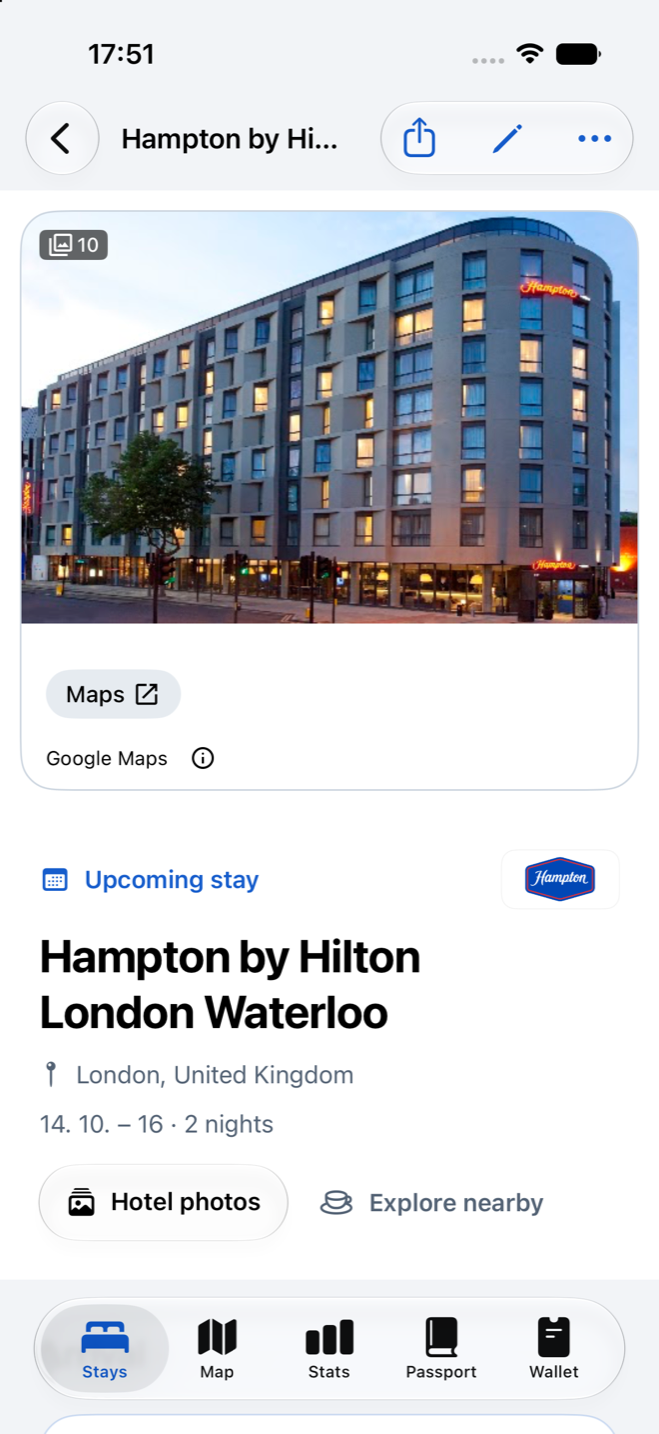
Choose the right hotel listing and see its photos right in your stay. Add your own cover to make the memory yours.
The one you’re looking forward to.
The one you still talk about.
Keep your bookings, favourite places and travel memories beautifully together. For hotels, rentals and nights at sea.
Free public beta via TestFlight · iOS 17+
City weekends · Work trips · Long escapes · Life at sea
LESS ADMIN. MORE ANTICIPATION.
All the useful details before you go.
All the little discoveries when you arrive.
One place to keep them afterwards.
Choose the right hotel listing and see its photos right in your stay. Add your own cover to make the memory yours.
Bring in a screenshot, PDF or booking text, or forward an email. Review dates, arrival instructions and booking totals before saving.
Forwarding uses an optional account. Imports are reviewed on your iPhone.
Coffee, dinner, one more drink, something worth seeing. Save nearby discoveries as Want to go or Been there, ready for this trip or the next.
SOME STAYS COME WITH A CHANGE OF SCENERY
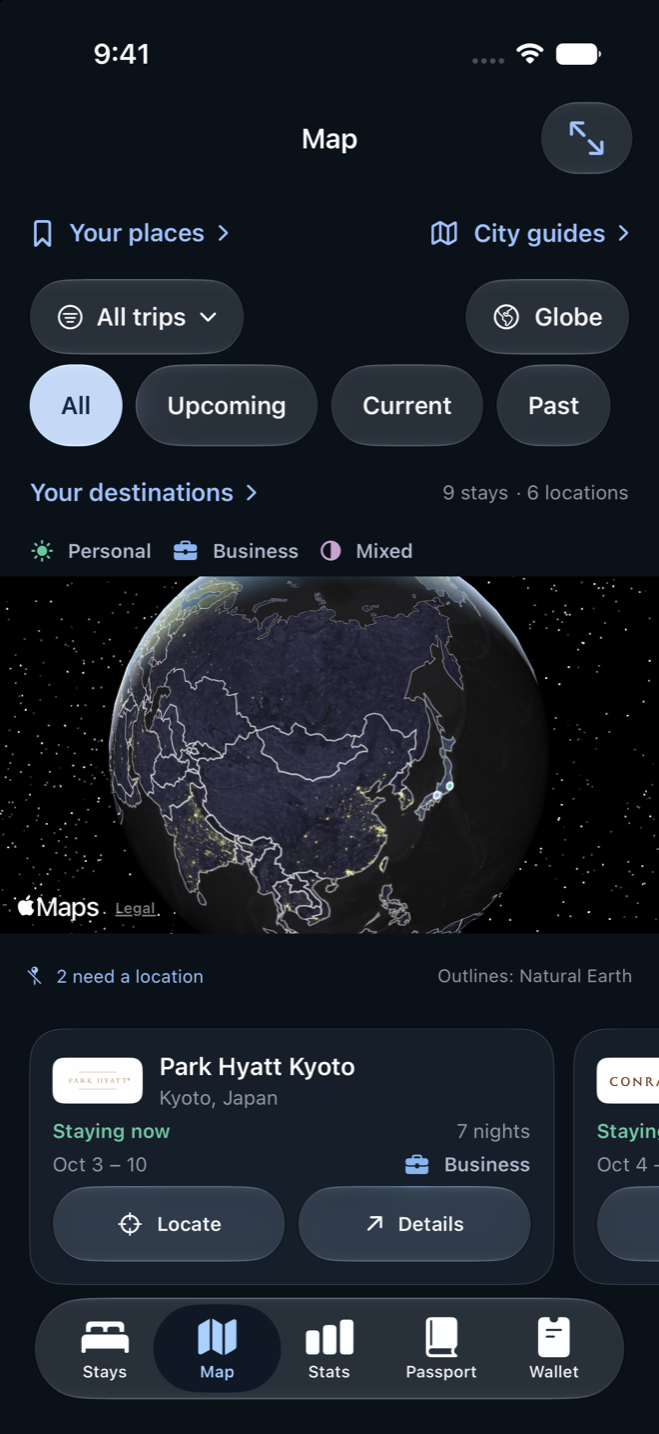
Add a cruise with your ship, sailing dates and ports of call. Map each stop and mark where you’ve been, with the whole sailing kept as one stay.
THE PLACES ADD UP TO SOMETHING
A journal to use before the trip.
A world you’ll want to revisit long after.
Tap a chapter to take a look inside.
The stay ahead.
The feeling afterwards.
Your stays, destinations and insights on a bigger screen. Browse your journal, then add or edit the essentials when you enable desktop editing on iPhone.
Open desktop journal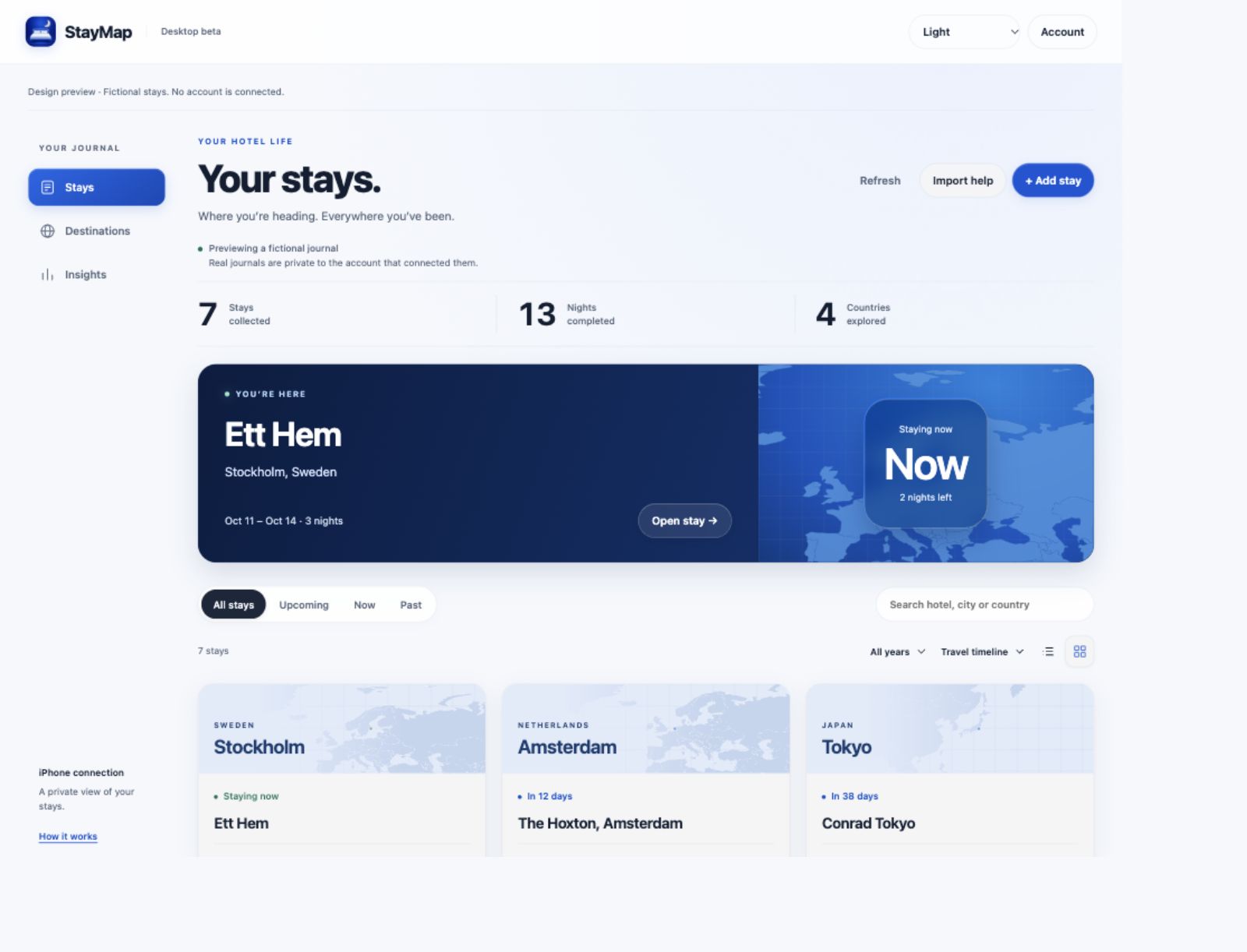
Make the connection.On iPhone, open Account → Desktop journal and choose to connect.
Log in on desktop.Use the same account to see your stays, destinations and insights.
Edit the essentials.Enable desktop editing on iPhone. Updates reach it while StayMap is open.
Your connected outline includes stay names, dates, cities, countries and map locations. Photos, notes, booking details and cruise itineraries stay on iPhone. Keep a full journal backup in the app.
IT’S THE LITTLE THINGS
The room you’d ask for again.
The recommendation from a friend.
The details that make a stay yours.
Personal photo covers, ratings, private notes and room tips. Remember what you loved, and whether you’d return.
Connect with friends by invitation. Send a hotel or nearby recommendation, with a personal note and a preview before it goes.
Save ideas in Your places, explore city guides and compare hotels. Your next chapter starts with a good find.
Keep loyalty numbers, tiers, balances and expiry dates in your wallet. Add and update the details yourself.
Put your next countdown or current stay on your Home Screen. Choose to hide property details in your widgets.
Preview an itinerary, booking file, city guide or year card before sharing. You decide which details to include.
PERSONAL MEANS PERSONAL
Your full journal lives on your iPhone and works without an account. An optional account adds email forwarding, private friend connections and a desktop outline you choose to connect.
Connecting with friends doesn’t share your journal. Desktop access is limited to basic stay details. You choose what to connect, what to share, and when.
How StayMap handles your dataStayMap is in free public beta for iPhone with iOS 17 or later. Open our TestFlight invitation, install Apple’s TestFlight app if prompted, then accept the invitation and install StayMap.
Yes. Open the desktop journal and log in with the same account you use on iPhone. First connect from Account → Desktop journal in the iPhone app. You can then browse your stays, destinations and insights. Enable desktop editing on iPhone to add or edit stay names, dates, cities, countries and map locations. Changes reach your iPhone while StayMap is open; conflicting edits need your review. Signing in alone does not upload your journal. Photos, private notes, booking details and cruise itineraries aren’t part of the desktop outline.
Hotels, vacation rentals, apartments and cruises all have a home here. For a cruise, add the ship, sailing dates and ports of call manually. Each sailing counts as one stay; port stops do not add extra nights or hotel Passport stamps.
Add a past or future stay yourself, or import booking text, screenshots and PDFs on your iPhone. An optional account gives you a private address for forwarded booking emails. Review the extracted dates, arrival details and costs before saving. Confirmed booking totals stay separate from nightly rates, so you can check what the amount represents. Forwarded emails use our online inbox services; extraction and review happen on your iPhone.
Search Google Maps from a stay and choose the correct hotel listing. Available photos can then appear in your featured stay and hotel detail, with a gallery to explore. Google’s photos keep their attribution and aren’t copied into your personal journal photos, backups or shared recommendations. Your own selected cover takes priority. Coverage and shared beta usage limits apply.
A connection doesn’t give access to your journal. You can send a reviewed recommendation to an accepted friend. Optional travel highlights share a snapshot of just three totals: completed stays, nights and countries. Highlights are off by default. If enabled, current and future accepted friends can see the last snapshot until you update it or stop sharing. It contains no hotel names, dates, costs or private notes.
Your full journal lives on your iPhone. Use Backup & restore in the app to export and keep a full backup. The optional desktop outline only connects basic stay details and is not a full backup or full-journal sync. StayMap doesn’t automatically connect to hotel or loyalty accounts; wallet balances are maintained manually.

WHEREVER YOU’RE HEADING
There’s a whole world of stays to keep.
Free public beta · Available on TestFlight